
剪藏#solaireh3Lv 6楼主#剪藏
【原创】【教程】个人主页搭建以及申请萌ICP备
2025 年 7 月 4 日 约 1 分钟
1.前言
昨天折腾了一个晚上:https://www.nodeseek.com/post-382363-1
这是一个用于展示个人社交信息与网站信息的主页项目,博主非相关专业,搭建教程整理书写略显粗糙,仅供学习交流
博客原文地址:https://xxxh.de/archives/16 转载请注明出处,感谢配合🙏
2.准备工作
必须:一个GitHub账号
可选:一个自用域名(已托管至cloudflare这种域名解析商)
可选:一个cloudflare账号
3.源码地址
https://github.com/solaireh3/home-vue
4.Vercle一键部署
点击后自动部署并创建仓库
5.Commit Changes
JAVASCRIPT
注意:把solaireh3替换成自己的用户名修改主页信息
https://github.com/solaireh3/home-vue/blob/main/.env
修改社交信息
https://github.com/solaireh3/home-vue/blob/main/src/config/links.json
修改个人网站
https://github.com/solaireh3/home-vue/blob/main/src/config/site.json
注意:在GitHub修改这些信息后,不用重新部署,vercel会自动拉取
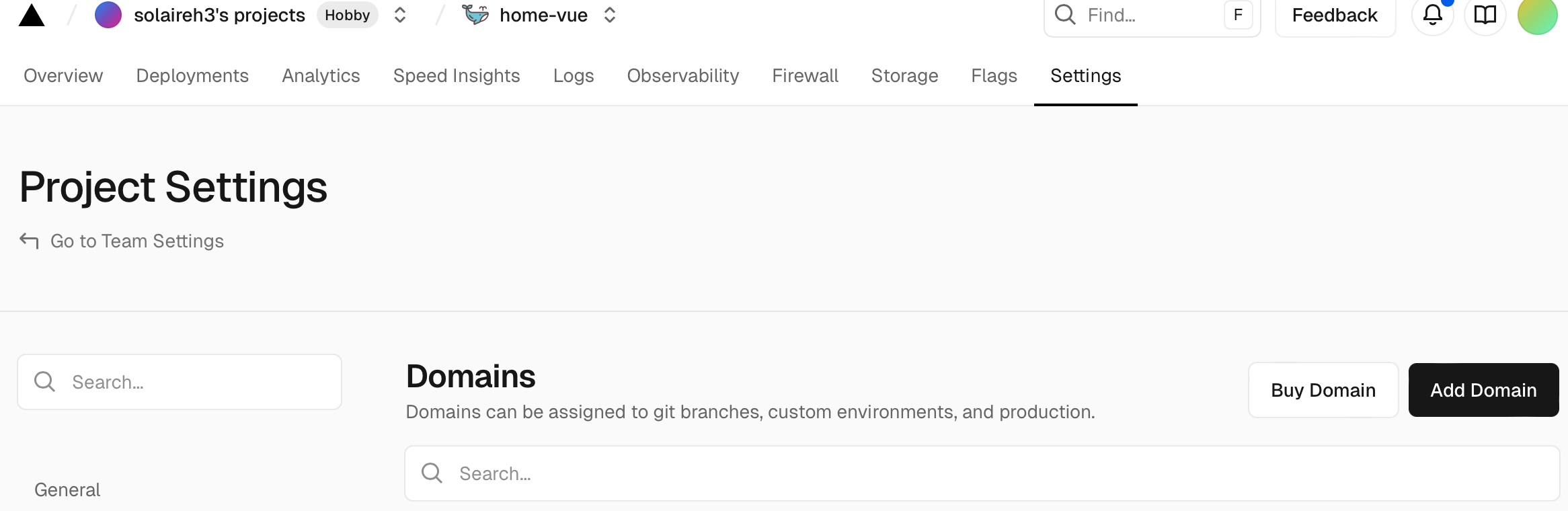
6.CNAME至自用域名
Add Domain
设置好合适的域名
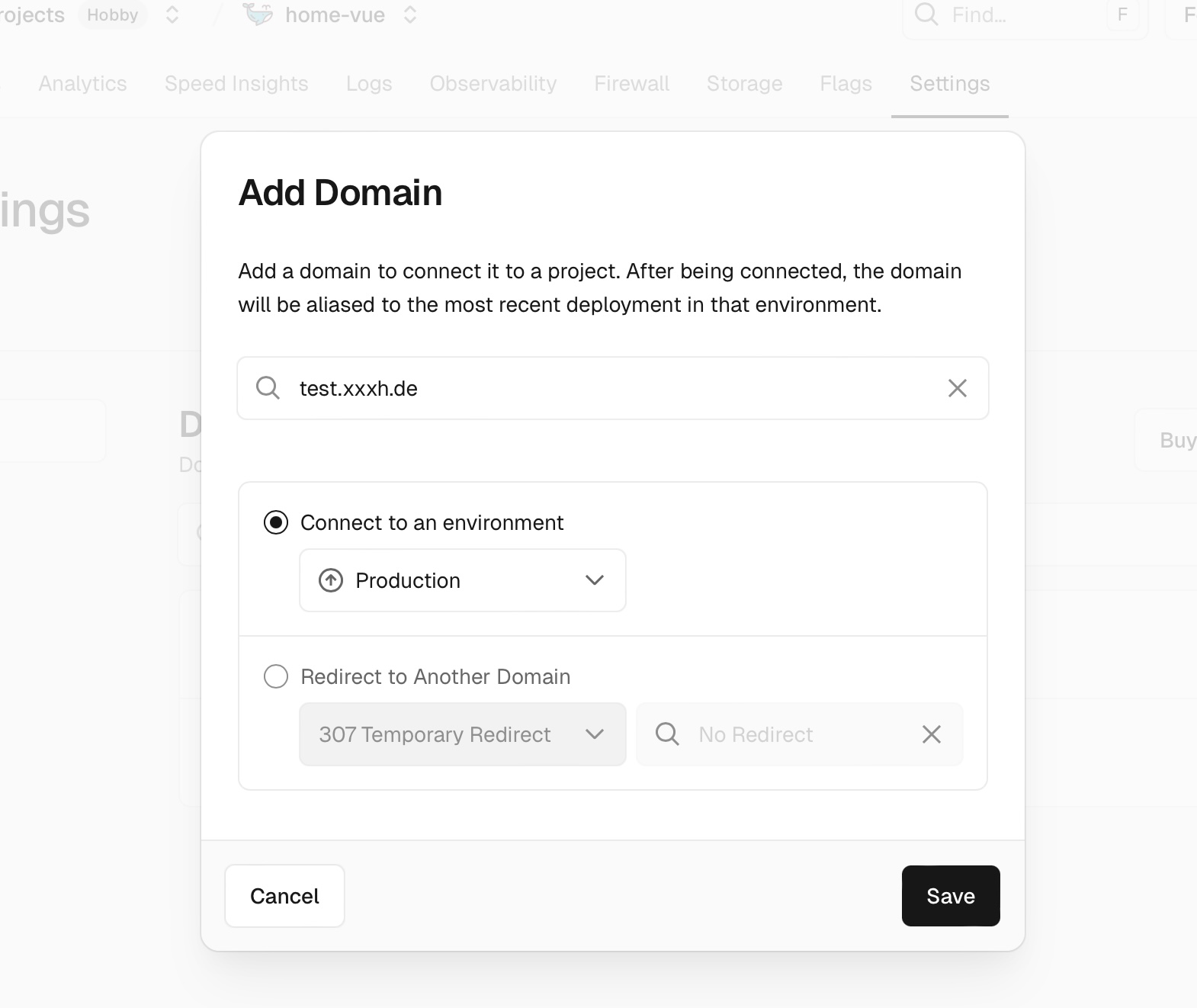
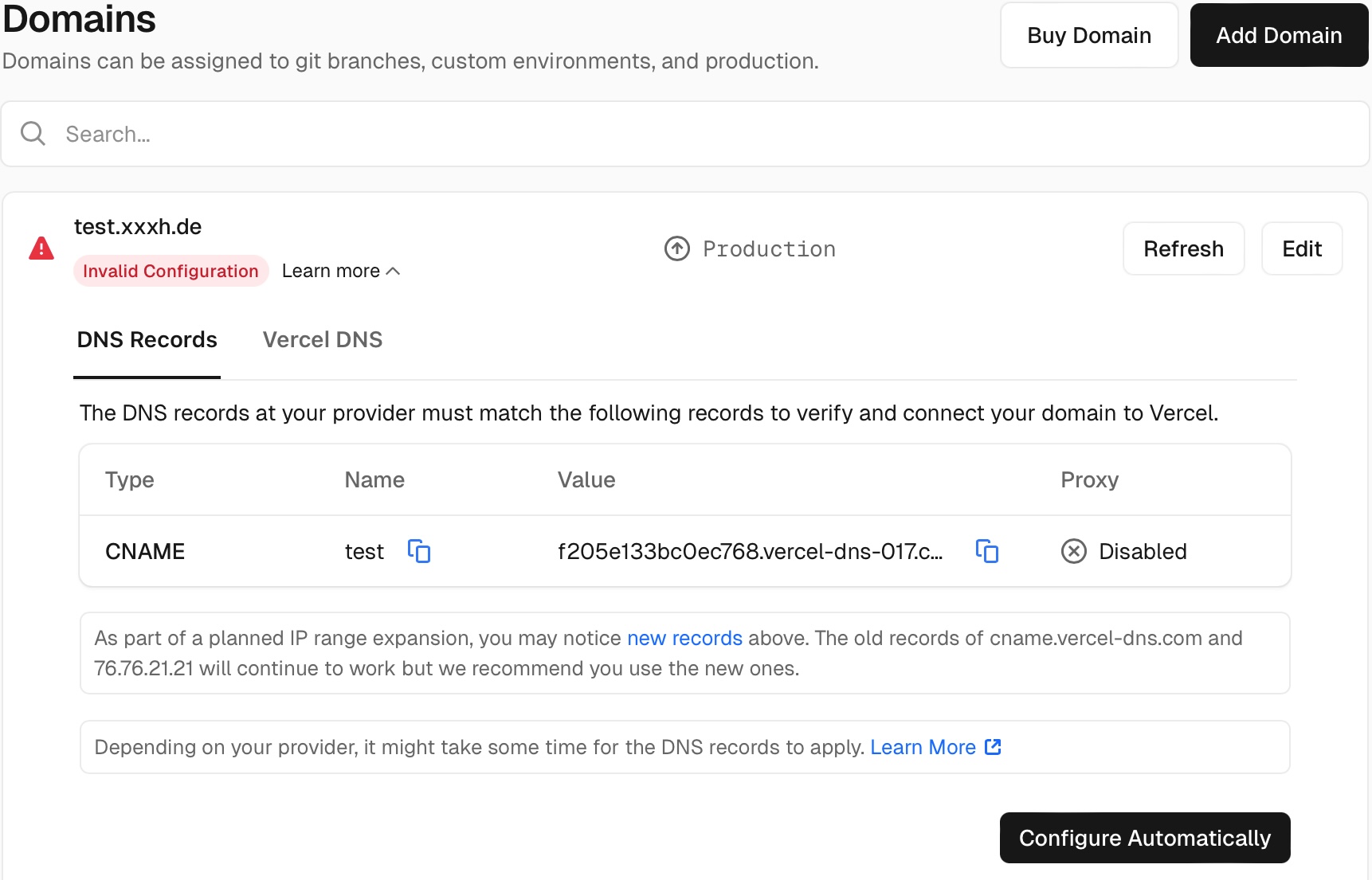
复制value备用
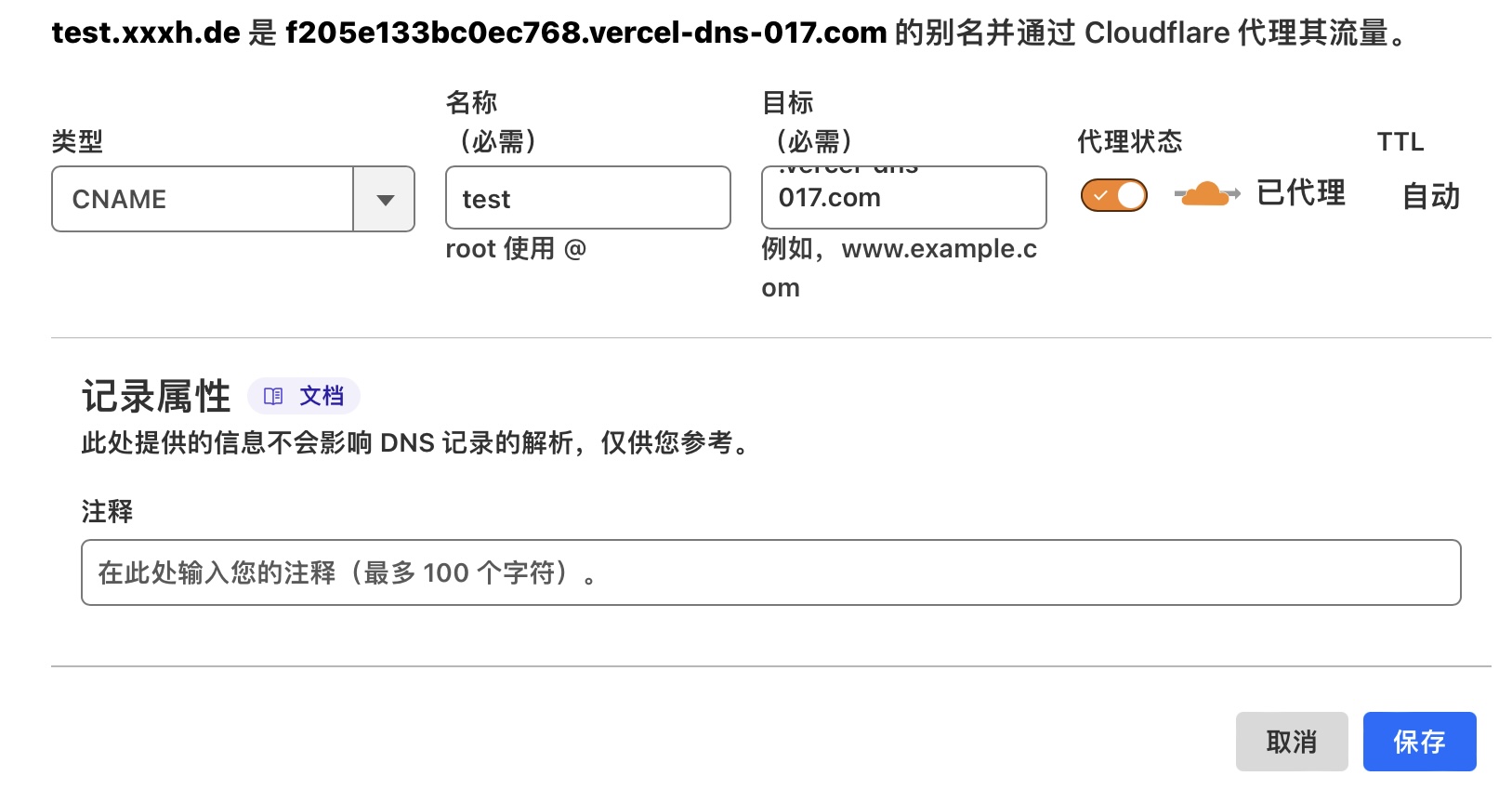
在cloudflareDNS解析CNAME
7.个人主页展示
8.申请萌ICP备
选号地址:https://icp.gov.moe/moeid.php
并在页脚添加以下链接(电脑/手机端均要有显示)
比如我的:萌ICP备20252110号
9.将萌备添加至主页页脚
https://github.com/solaireh3/home-vue/blob/main/.env

https://github.com/solaireh3/home-vue/blob/main/src/App.vue

10.萌备申请成功演示
https://icp.gov.moe/?keyword=20259850
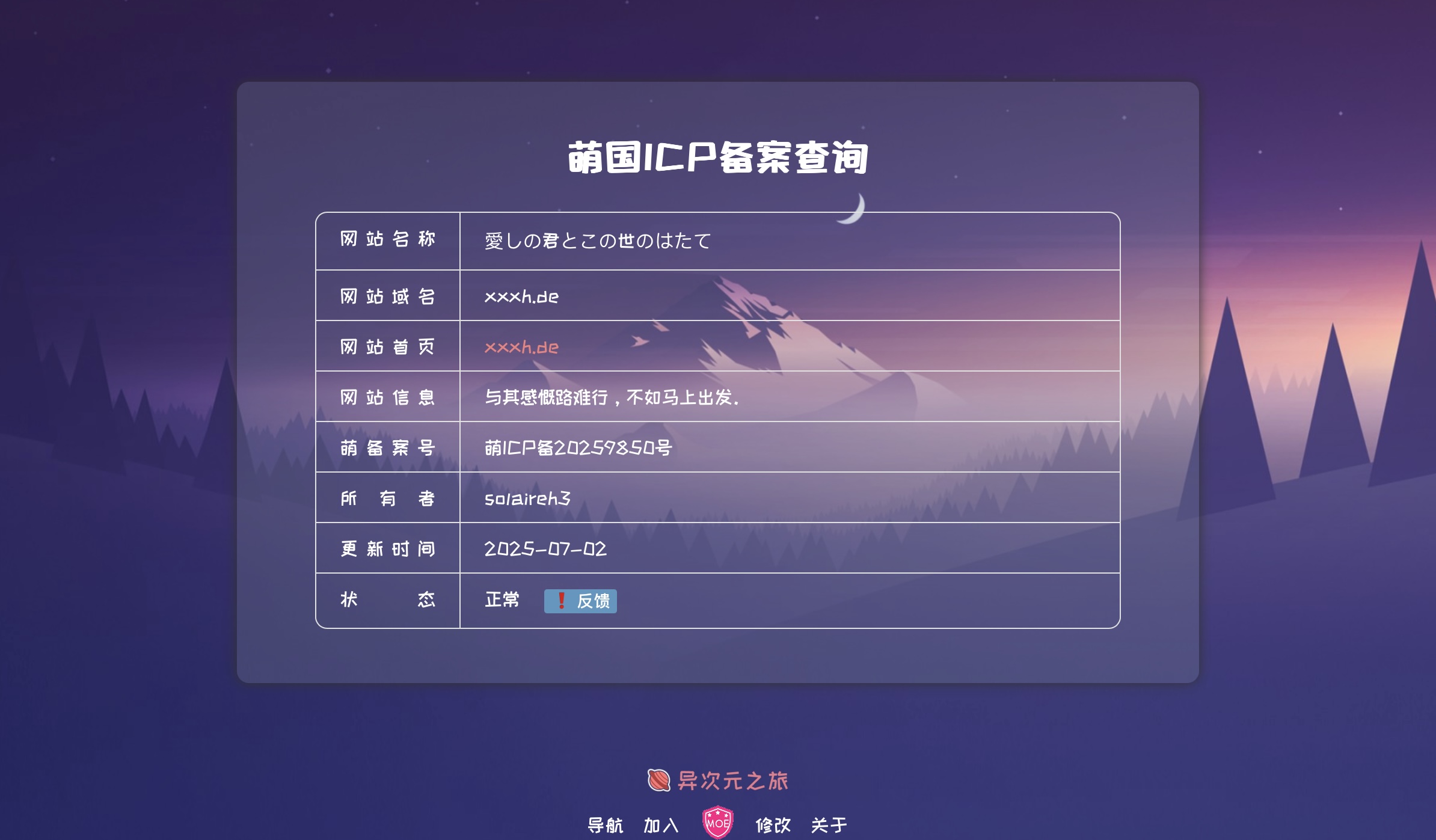
审核通过后会有邮件通知
